

Safe Search
Where can I safely search for information?
Article & Image Search
Google Safe Search - This is a Google search page with additional filters.
Wikipedia for Kids - This site simplifies the language of wikipedia articles.
Sweet Search - These results have been filtered by a team of experts. Check out this review.
Image Search
Kiddle - Visual Search Engine for Kids
Wikimedia Commons- Wikipedia images (copyright free)
Pics4Learning- Search for images
Color Codes
When discussing websites with our students, we use the following language to help them understand the appropriateness of certain websites. This information comes from www.commonsensemedia.com.
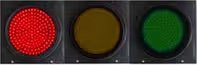
Red - STOP!
Avoid a site you think is “red.” If you’re unsure, ask a trusted adult.
A “red” website is:
A site that is not right for you
A place you might have gone to by accident
Filled with things that are for older kids or adults.
If you find a red site, click the back button or close the page. Then tell a trusted adult.
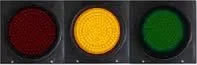
Yellow – CAUTION!
Before you go to a site you think is yellow, get permission from adult you trust.
A “yellow” website is:
A site you are not sure is right for you
One that asks for information such as who you are, where you live, your phone number or email address, etc.
A place where you are allowed to communicate freely with others.
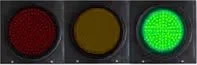
Green - SAFE
Look for sites that are “green” and bookmark them so you can visit your favorites!
A “green” website is:
A good site for kids your age to visit
Fun, with things for you to do and see
Has appropriate words
Doesn’t let you talk to people you don’t know